
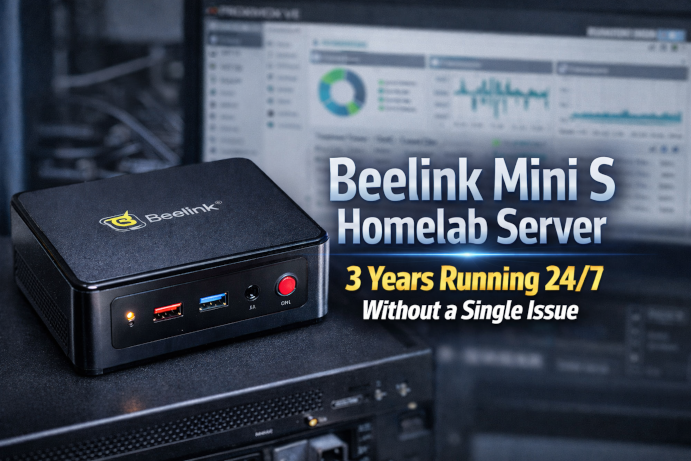
Beelink Mini S Homelab Server — 3 Years Running 24/7 Without a Single Issue
If you’ve been following my homelab journey, you’ll know I’m a fan of compact, efficient lab servers that can run reliably 24/7. Nearly three years ago I put the Beelink Mini S to the test running Proxmox VE as the hypervisor, and today I’m sharing my full experience — uptime, hardware, performance, and why this little system continues to impress.
Why I Chose the Beelink Mini S
The Beelink Mini S is one of those mini PCs that punches well above its weight for home labs. With its:
- Intel N100 CPU with 4 cores
- 16 GB RAM
- 1 TB SSD
- Small footprint and low power draw
…it struck the perfect balance between performance, efficiency, and cost for a 24/7 homelab server.
The N100 series CPU is designed for low-power tasks while still offering enough headroom for virtualization, containers, and always-on services — ideal for running Proxmox and multiple VMs or containers for home projects.
Three Years of 24/7 Reliability — No Failures
Since February 2023 this Beelink Mini S has been running non-stop, hosting my Proxmox VE environment — and it hasn’t missed a beat.
- Uptime: 24/7/365 for nearly three years
- Stability: Zero crashes, no hardware failures
- Maintenance: No forced reboots other than planned updates
This level of uptime is rare in hobby homelabs — especially on such an affordable platform.
Proxmox VE — The Heart of My Homelab
Proxmox VE has been the perfect hypervisor for this mini homelab server. It’s lightweight, efficient, and gives me enterprise-grade virtualization features without the bloat.
On this system I’m running:
- Multiple Linux VMs for services like file sharing, DNS, VPN, and self-hosted apps
- Containers for lightweight services
- Networking and routing services
Despite this workload, the N100 hasn’t struggled — thanks to Proxmox’s efficient resource scheduling and the Mini S’s balanced spec profile.
Quiet, Efficient, and Affordable Hardware
One of the biggest benefits of the Beelink Mini S is its efficiency:
- Low power consumption: N100 mini PCs typically draw very little power even under load — often under 10–15 W in typical homelab use.
- Small size: It fits easily on a shelf or in a rack-style setup with other network gear.
- Silent operation: No loud fans or distracting noises — ideal for a home environment.
Compared to larger desktops or tower servers, this unit costs only a fraction in power and space over several years of uptime.
Lessons Learned & Tips for Your Homelab
- Maximize RAM Where Possible
I upgraded to 16 GB early on, and that was a key step. While 8 GB can handle light workloads, having more RAM makes Proxmox and multiple VMs much smoother. - Use a High-Quality SSD
A 1 TB SSD gives plenty of headroom for VM disks, containers, and local backups. - Monitor Temperatures & Load
Even small mini PCs benefit from occasional monitoring via Proxmox or tools like Grafana to make sure nothing is pushing the system too hard. - Plan for Expansion
If your homelab grows beyond what a single unit can handle, it’s easy to add a second — or even build a cluster with identical hardware.
Final Thoughts
Running a reliable homelab server doesn’t have to mean buying expensive enterprise gear. My Beelink Mini S has proven that:
- ✔️ A small, efficient box can run 24/7 for years
- ✔️ Proxmox VE on N100 hardware is a rock-solid combo
- ✔️ Homelab performance for self-hosting and experimentation can be both cheap and reliable
If you’re building out a lab on a budget, or just want a server that just works day after day, the Beelink Mini S is one of the best values I’ve encountered.
I’ll continue documenting the life of this Beelink Mini S for as long as it runs — hopefully helping others along the way.