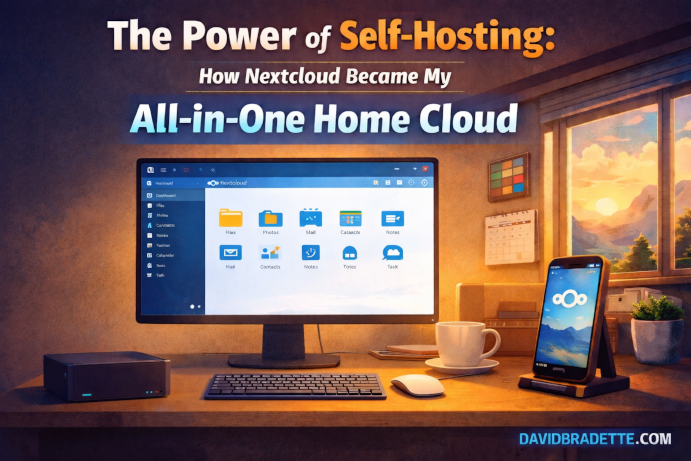
The Power of Self-Hosting: How Nextcloud Became My All-in-One Home Cloud
There aren’t many tools in my digital life that I use from the moment I wake up to the moment I go to bed. But Nextcloud is one of them. What started as an experiment in my homelab has now become the backbone of nearly everything I do: storing files, managing photos, taking notes, keeping passwords, tracking projects, syncing calendars and contacts, running email, and even making video calls.
In a world dominated by subscription-based cloud services, the idea of running your own private cloud at home can seem unusual—maybe even intimidating. But for me, it’s become not just practical, but essential.
What surprised me most wasn’t the technical setup or the maintenance. It was how seamlessly Nextcloud slipped into my daily rhythm and slowly took over tasks I used to juggle between Google, Apple, Microsoft, and various third-party apps.
Today, it’s my all-in-one home cloud. And if you’re even remotely considering self-hosting, it may become yours too.
In this article, I’ll walk through:
- What Nextcloud is
- Why self-hosting at home is so powerful
- The hardware you can use (including my setup)
- How to run it locally 24/7
- How to access it remotely from anywhere
- How it can replace dozens of separate cloud services
What Is Nextcloud, Really?
Nextcloud is an open-source, self-hosted private cloud platform. The simplest way to describe it is:
Everything iCloud, OneDrive, Google Drive, Dropbox, Zoom, Notion, and password managers do — but running in your home, on your hardware, under your full control.
It started as a file-syncing platform, but it has evolved into a full ecosystem that includes:
- File sync and share
- Photo gallery with auto-upload
- Video calling (Nextcloud Talk)
- Notes, tasks, and checklists
- Password manager
- Calendar & contacts
- Kanban project boards (Deck)
- Document editing with Collabora/OnlyOffice
- Mobile apps
- Hundreds of extensions
It’s essentially a private, modular productivity and collaboration platform—without giving your data to anyone else.
Who Nextcloud Is For
Nextcloud’s flexibility makes it a great fit for several kinds of users.
1) Families
Nextcloud is ideal for homes and families that want:
- A private photo library
- Shared calendars
- A secure place for important documents
- Private video calling
- Shared notes (groceries, chores, reminders)
- Password management
- Auto-upload for mobile photos
2) IT Professionals and Homelab Enthusiasts
If you’re in IT (like I am), Nextcloud quickly becomes invaluable:
- Secure storage
- Project tracking
- Meeting notes
- Password vault
- File sharing
- Calendars and tasks
- Backups and lifecycle management
3) Privacy-Focused Users
For anyone who doesn’t want their data analyzed, mined, or stored in unknown datacenters, Nextcloud offers peace of mind:
- No tracking
- Strong privacy posture
- Self-owned and controlled
- Local backups on your terms
- No subscriptions
Why I Self-Host Nextcloud at Home
I didn’t expect Nextcloud to become my primary cloud platform. I installed it on my homelab out of curiosity. But slowly, I migrated more and more of my digital life over:
- Files
- Photos
- Notes
- Passwords
- Calendars
- Contacts
- Projects
- Video calls
Now, my day begins and ends inside Nextcloud.
1) Complete Control
My Nextcloud instance runs at home on hardware I own. No guessing where my data is stored. No scanning, indexing, or profiling. It’s mine—and the peace of mind is priceless.
2) Speed
Self-hosting gives me something commercial clouds can’t: pure speed on my local network. Opening photos, uploading files, and browsing documents happens almost instantly.
3) Replaces Dozens of Apps
Instead of juggling multiple services, I use one unified platform. Less complexity, fewer accounts, and a smoother daily workflow.
4) Customization
Want Markdown notes? Enable Notes. Want a password vault? Add Passwords. Want shared family calendars? Done. Want private video calls? Turn on Talk. Nextcloud adapts to your workflow.
5) No Subscriptions
Once the server is running, that’s it. No recurring monthly fees. No per-user pricing. No “premium unlocks.” It’s a one-time hardware purchase and your time.
My Hardware Setup: Nextcloud in a Proxmox VM on a Beelink N100
In my homelab, Nextcloud runs as a virtual machine inside my Proxmox cluster. The node hosting it is a Beelink mini PC with an Intel N100 CPU and 16GB of RAM (and a 1TB SSD for fast local storage).
This tiny machine runs 24/7 with very little power draw. It stays cool and quiet, and performance has been excellent. Running Nextcloud in a VM makes it easy to snapshot, back up, and maintain without drama.
The Best Way to Install Nextcloud at Home: Nextcloud AIO
There are many methods to install Nextcloud — but the cleanest, most maintainable option for home users is Nextcloud AIO (All-in-One).
- One workflow gets everything running
- Containerized services with fewer “moving pieces”
- Includes core components like database and caching
- Updates are simpler and more consistent
- Easy to migrate and easier to recover
How to Install Nextcloud AIO (Simple Overview)
This is the 10,000-foot view. The goal here is clarity without turning this article into a wall of commands.
1) Install Linux
On your mini PC (or in a VM), install a stable server OS like Debian or Ubuntu Server.
2) Install Docker
Nextcloud AIO is built around Docker containers, which keeps the environment clean and consistent.
3) Run the AIO Installer
Launch the AIO management container, let it pull the required services, and complete setup from the web-based wizard.
4) Configure Storage, Updates, and Backups
Decide where your data lives, enable backups, and adopt a simple update routine (snapshots first if you’re running in a VM).
Using Nextcloud Anywhere: Remote Access
Remote access transforms Nextcloud from a “home server experiment” into something you use every day, everywhere. You have two great approaches:
Option A: Port Forwarding
Forward port 443 (HTTPS) from your router to your Nextcloud server or reverse proxy, use a domain name, and keep security tight (strong passwords, MFA/2FA, and regular updates).
Option B: Cloudflare Tunnel
If you don’t want to expose inbound ports, a tunnel approach is simple and stable. It can be a great option for home networks where port forwarding is inconvenient.
Nextcloud Mobile Apps: Your Cloud on the Go
The mobile apps are what make Nextcloud stick in daily life. Having the same cloud on desktop and phone means your data is always with you.
Nextcloud Files
- Auto-upload photos
- Offline folders
- Fast file access
Nextcloud Talk
- Video calls
- Messaging
- Great for families and small teams
Notes, Passwords, Calendar, and Tasks
These apps are where Nextcloud becomes an all-in-one hub: quick notes, secure credentials, and your daily schedule in one place.
My Daily Workflow: Why Nextcloud Became My Digital Home
Here’s how I actually use Nextcloud in a typical day.
Morning
- Check Calendar
- Review Tasks
- Open Notes for planning
- Glance at new uploads and recent files
Workday
- Access work documents
- Store files, logs, screenshots
- Manage projects in Deck
- Keep everything synced across devices
- Update passwords securely
Evening
- Upload and organize family photos
- Review notes and wrap up tasks
- End the day in the same dashboard where I started
Why You Should Try Self-Hosting Nextcloud
Even if you’re not deeply technical, self-hosting Nextcloud is surprisingly accessible—especially with AIO. And if you are technical, it becomes one of the most useful services you can run at home.
- You own your data
- It’s fast—especially at home
- It’s private and secure when maintained properly
- It replaces multiple services
- It runs on inexpensive, low-power hardware
- It works great on desktop and mobile
Conclusion: Your Digital Life, On Your Terms
Nextcloud has become more than a tool for me—it’s become the heartbeat of my digital world. A private cloud that does everything I need, running on hardware I control, across my devices, every day.
If you’ve ever felt frustrated by subscription fatigue, privacy concerns, or juggling too many cloud apps, consider trying Nextcloud AIO at home. It might just become your all-in-one home cloud too.